

JMT
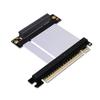
JMT PCI-E 4.0 x8 to x16 Extension Cable Gen4 128G/bps High Speed Adapter for 1U U.2 NVMe SSD Graphics Video Card (K38SL,25CM)
CHF133.85
CHF223.08
-
 Order within to get between
 -
 Tracked Shipping on All Orders
-
 14-Day Returns
- Secure Payments
-
 24/7 Customer Support
Description
- Product Name: PCI-E 4.0 x16 to x8 Extension Cable, for 1U U.2 NVMe SSD Graphics Video Card.
- Speed Bandwidth: PCIe 4.0 x8 gen4 128G/bps.
- Wire Length: Length refers to the length of the wire, excluding PCB and connectors.(Support Custom)
- The gold finger of the card or the motherboard slot terminal contact is bad or oxide, resulting in slow card lag, the gold finger contact point should be clean.
- Motherboard aging, graphics card aging, equipment more than 3 years is not recommended to use the extension cable. Aging equipment or poor signal, please reduce the speed of use.
JMT PCI-E 4.0 x8 to x16 Extension Cable Gen4 128G/bps High Speed Adapter for 1U U.2 NVMe SSD Graphics Video Card
Product Detail:
Product Name: PCI-E 4.0 x16 to x8 Extension Cable.
Cable length: support custom 5-100cm length, if you need other length, please contact us to change the price, thank you!
Speed bandwidth: PCIe 4.0 x8 gen4 128G/bps.
Limitations:
PCIe4.0 high demand for equipment, as long as the signal is connected to the extension cable will be attenuated, this product does not guarantee that the PCIE4.0 full-speed, equipment aging, poor signal or bad environment, please reduce the speed of use.
Purchasing tips:
Be sure to buy 1~2 samples to test and verify that there is no error before purchasing large quantities.
Wire length:
Length refers to the length of the wire, excluding PCB and connectors.
There are three common problems when you connect a graphics card extension cable with insufficient performance or abnormal function:
1. The extension cable is assembled wrongly, the graphics card extension cable should be installed in the graphics card slot nearest to the CPU, other slots have poor performance.
2. The gold finger of the card or the motherboard slot terminal contact is bad or oxide, resulting in slow card lag, the gold finger contact point should be clean.
3. Motherboard aging, graphics card aging, equipment more than 3 years is not recommended to use the extension cable. Aging equipment or poor signal, please reduce the speed of use.
Shipping and Returns
- We offer tracked shipping on all orders. Tracking information will be shared as soon as the order is dispatched.
- Please check the delivery estimate before adding a product to the cart. This is displayed for every product on the website.
- Available shipping methods and charges will be displayed at the time of checkout, depending on your exact location.
- All customers are entitled to a return window of 14 days, starting from the date of delivery of the product(s).
- Customers are advised to read our return policy for details of the return process, eligibility, refunds as well as cancellations or exchanges.
- In case of any issues or concerns about Shipping or Returns, please contact us and we will be happy to help.
JMT.
JMT PCI-E 4.0 x8 to x16 Extension Cable Gen4 128G/bps Hig...
CHF133.85
CHF223.08